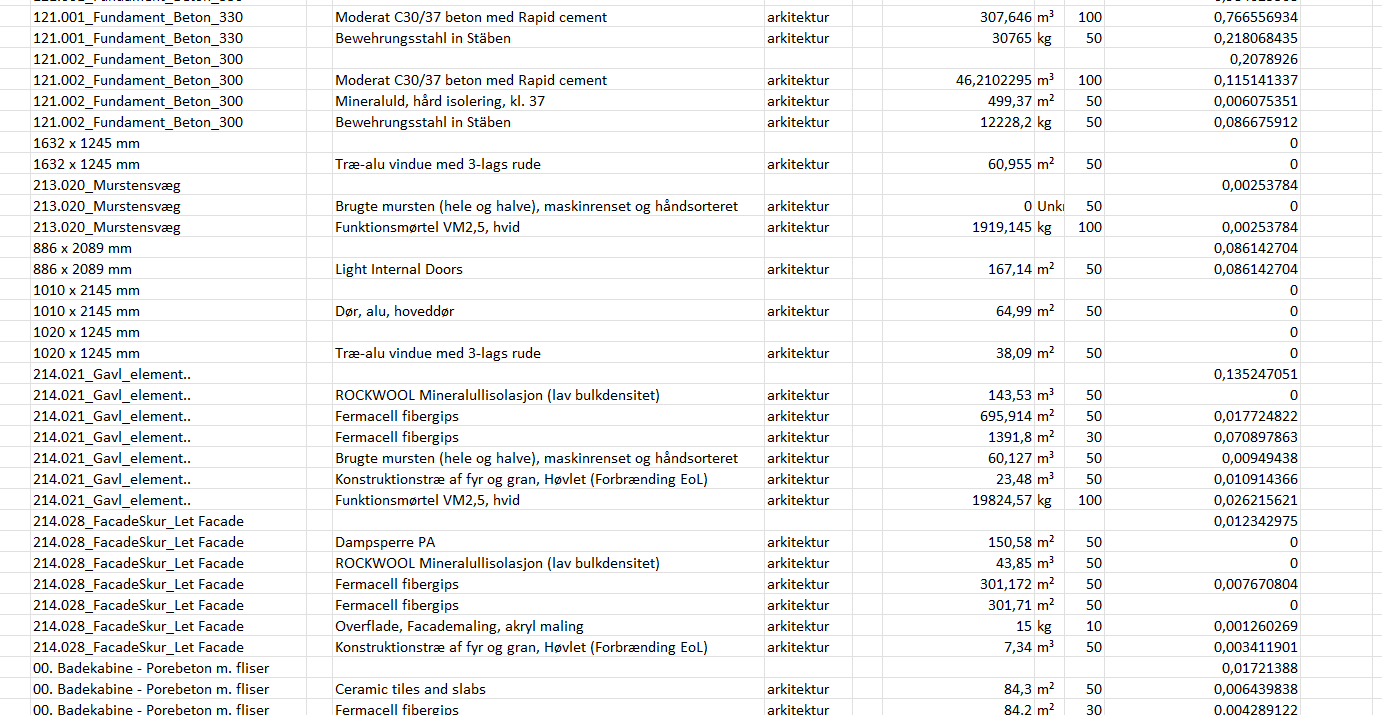
In a recent project, when exporting the data to Excel, I found that some of my materials show an emission of zero. The materials are mapped in the correct declared unit, the emission in the window that you click in the browser shows that this particular material has an emission. Why would it show as zero in the Excel export? Is it also counted as zero in the emission calculation in the browser?
It is maybe important to note that this project is very big and I’ve only turned on the material types that are used in one specific place. Maybe the amount of data is messing with the calculations?
I’m assuming this is a Danish project you’re working on. When you assign classification codes to your constructions/materials, you’re specifying which building part they belong to.
We’ve set it up so that the classification codes are aligned with Appendix 2, Table 6 from BR18. This means that any components omitted from Table 6 are also omitted from the classification codes, and therefore they are counted as 0 when you generate your report. However, they are still included in the calculations on the website.
That’s why it’s important to assign the correct classification codes. I hope this might answer your question.
If not, please send an email to support@realtimelca.com, and we can arrange for me to take a deeper look into it.